Will a Website Redesign Hurt SEO? What Actually Breaks

Founder, Grow Predictably · 15+ yrs building B2B revenue systems
TL;DR: A redesign does not damage SEO by itself. Traffic falls when the rebuild quietly breaks something the old site was doing for you: an address that no longer resolves, a page that no longer renders to whatever is reading it, a redirect rule that no longer executes. Find what your visibility is standing on, then prove each piece still holds before you launch.
Key Takeaways
- A new design is not a ranking factor. The damage comes from what the rebuild changes underneath the design.
- Your search visibility rests on a handful of implicit contracts. A rebuild is dangerous exactly where it renegotiates one without telling you.
- The newest risk is rendering. A site can render correctly for Google and be completely invisible to the AI assistants your buyers now ask.
- Configuring redirects is not the same as executing redirects. When the layer that answers the request changes, the rules that used to run may not run at all.
- Most redesign guides tell you to audit before launch, and almost none give you a pass condition. Compare every URL against what it returns today, because the failures that cost the most are the ones a developer machine cannot reproduce.
Every marketing leader who has been through this knows the pattern. The new site looks better; everyone agrees it looks better, and six weeks later, organic traffic is down, and nobody can say which change did it. That outcome is avoidable, and avoiding it has almost nothing to do with the design.
Does a website redesign hurt SEO?
No, not by itself. Search engines do not penalise a site for looking different, and a redesign that changes only presentation is close to risk-free. What causes the drop is everything else that tends to travel with a redesign: new addresses, a new platform, a new rendering model, a new hosting layer.
Google is explicit that the standard mechanism for moving a page is safe when it is used correctly. Its site move documentation states that 301 and other permanent redirects do not cause a loss in PageRank. The tool works. The failures happen around it.
So the useful question is not whether a redesign will hurt you. It is a different question, and it is one you can actually act on: what is my current search visibility standing on, and does anyone on this project know?
Most teams cannot answer that, which is why the damage is usually discovered rather than predicted.
Which contracts does a rebuild actually break?
Think of your rankings as resting on a set of agreements the current site honours without anyone maintaining them. Nobody wrote them down. Nobody owns them. They simply hold until a rebuild changes the thing underneath them, and they quietly stop holding.
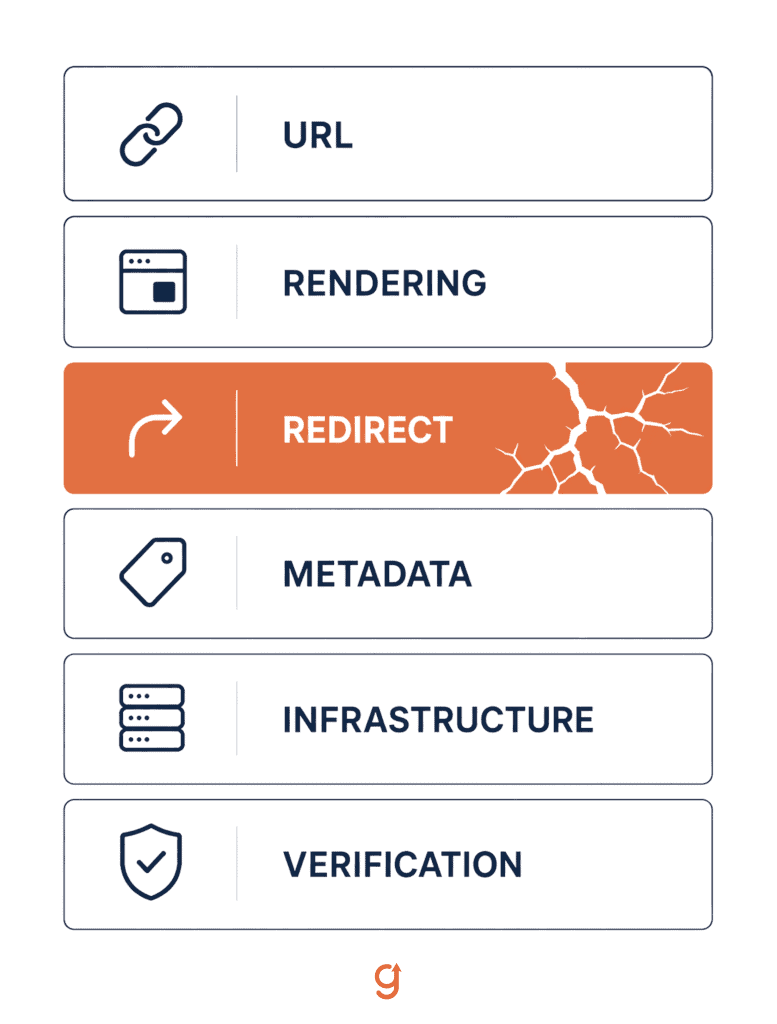
There are six worth naming:
- The URL contract. Every address that earns traffic still resolves to the right content.
- The rendering contract. Whoever reads your site can actually see the content and the metadata.
- The redirect contract. Your redirect rules still execute in the layer that now answers the request.
- The metadata and identity contract. Titles, canonicals, and structured data still say who each page is.
- The infrastructure contract. The new stack survives real traffic on real infrastructure.
- The verification contract. Somebody proved all of the above before launch, against a stated pass condition.
A checklist tells you what to configure. It does not tell you where a configuration silently stops executing, and that gap is where the expensive failures live. The rest of this article walks through the contracts that break most often, with what breaking each one actually looks like.
Can search engines and AI assistants still read the new site?
This is the newest risk on the list, and the one a redesign checklist written before 2024 won’t catch.
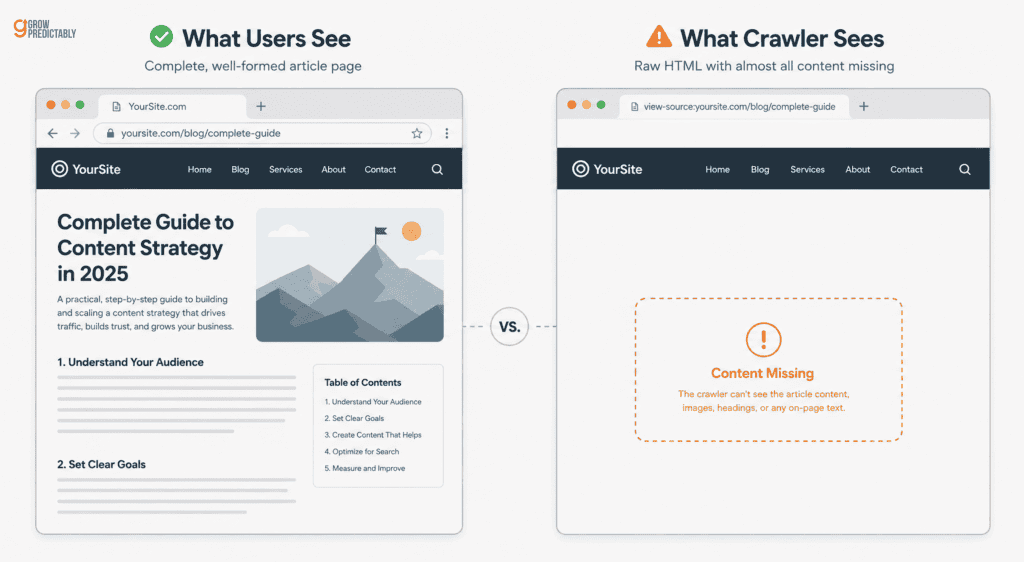
Modern rebuilds often move rendering to the browser. Google executes JavaScript and recovers. The assistants a growing share of your buyers now ask don’t, and the gap between those two behaviors is invisible from a browser.
Joint research from Vercel and the technical SEO firm Merj put numbers on it. Analyzing crawler traffic across their network, they found that none of the major AI crawlers render JavaScript, covering OpenAI’s GPTBot, Anthropic’s ClaudeBot, PerplexityBot, Meta, and ByteDance. The volume isn’t marginal:
- GPTBot generated 569 million requests in a single month
- Claude generated 370 million
- ChatGPT and Claude crawlers do download JavaScript files (in 11.50 and 23.84 percent of requests, respectively) and simply never execute them
Ryan Siddle, Managing Director of MERJ and a co-author of that research, draws the practical conclusion for anyone about to rebuild:
“As the adoption of AI-driven web experiences continues to gather pace, brands must ensure that critical information is server-side rendered and that their sites remain well-optimized to sustain visibility in an increasingly diverse search landscape.”
Ryan Siddle, Managing Director of MERJ
There’s one exception, and it’s the reason this failure hides so well. The same study notes that Google’s Gemini uses Googlebot’s infrastructure, so it renders JavaScript as Googlebot does. A Google-only check can genuinely come back clean while every other assistant sees an empty page.
I found this on my own site before I found it in anyone’s research. A single request using a crawler user agent returned only the sitewide head: no per-page title, no canonical, no H1, no Article, or FAQ structured data.
In a browser, the same page looked perfect.
How to test it in one command
Request one of your own pages with a crawler user agent and read the raw HTML that comes back, not the page your browser assembles.
If your title, canonical, and structured data are not in that response, they do not exist for anything that does not run JavaScript.
When I hit this, the faster fix was to pre-render pages at build time. I chose server-side rendering instead because it means new content is server-rendered the moment it is published rather than waiting for a rebuild.
Where do your redirects actually execute?
Every redesign guide tells you to map your old URLs to new ones and set up permanent redirects. Almost none of them ask the question that actually matters, which is which layer of your stack runs those rules once the new site is live. Configuration and execution are different things.
On my own rebuild, I learned this the expensive way. The redirect rules lived in the content management system, and the new front end resolved page addresses straight from the content API without ever consulting them. The redirect map was correct and completely inert.
Generalize it carefully, because the specific stack matters less than the principle. Any time the layer that answers the request changes, re-verify that your redirect rules still execute rather than assuming they moved along with the content.
A redirect that’s configured but never runs looks identical to a redirect that works, right up until a crawler requests the old address and gets a 404.
The test is concrete and takes minutes. Request a legacy URL against the new build and confirm:
- It returns a permanent redirect
- It lands on the address you intended
- It does so in a single hop rather than through a chain
How do you prove the new site works before you launch?
Here’s the gap in almost every article on this subject. They recommend an audit and a benchmark, which is good advice, and then they stop. None of them gives you a pass condition, so “we audited it” ends up meaning whatever the person who ran it wants it to mean.
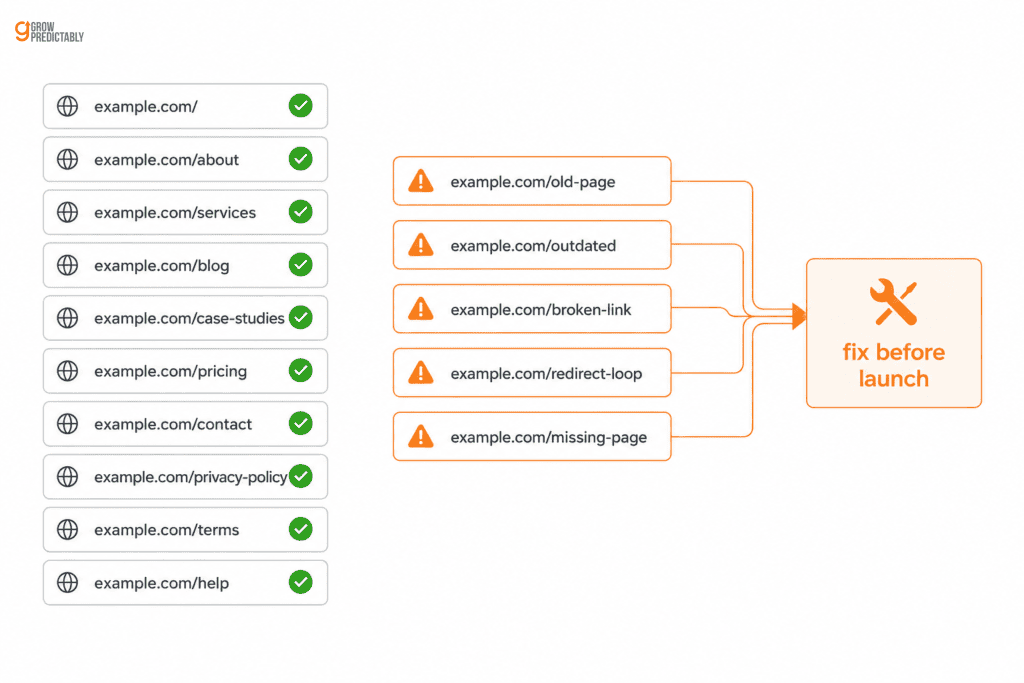
Use a comparison instead of an opinion. Load every URL in your current sitemap against the new build before you switch anything, then diff each result against what that same URL returns on the live site today. The pass condition writes itself: any URL that returns 200 on the live site and anything else on the new build is a regression you’re about to ship.
I ran exactly this before switching my own site over. Of 375 URLs, 369 came back clean, and one returned a redirect I expected. Five failed while still working perfectly on the live site: two were server errors, and three were pages that had been renamed at some point and never reconciled.
That’s the whole value of the exercise, and it’s worth being precise about what it bought. It didn’t improve anything. It converted five surprise failures on indexed URLs, the kind normally discovered by real visitors and Search Console after launch, into a known and bounded fix list discovered before launch.
Google’s own guidance points in the same direction, recommending you verify data for each property separately in Search Console during a move.
What breaks that no checklist warns you about?
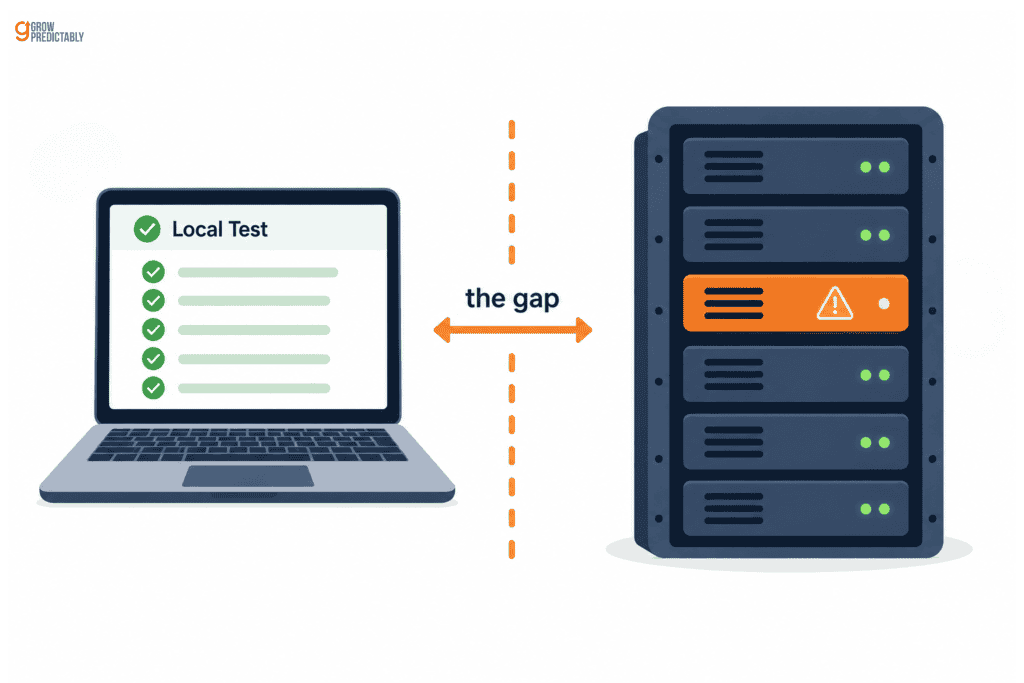
The failures that cost the most are the ones local testing can’t reproduce, because they live in the difference between a developer machine and production infrastructure. Everything passes locally, the team ships with confidence, and the failure appears only under the conditions nobody could simulate.
Failures that only appear on the real infrastructure
The most dangerous defect I hit was a fix. A change that removed duplicated question blocks stripped that content from article bodies and re-rendered only the ones shaped as headings. Questions written in any other way vanished, and structured data dropped to zero on a live article.
That one generalizes further than the rest, so take it with you, whatever platform you’re on: any transform that strips or replaces published content has to be fail-safe. It must never delete what it can’t re-render, because the failure is silent, and the thing it destroys is exactly the structured content search engines were using.
Fixes that quietly destroy content
The most dangerous defect I hit was a fix. A change that removed duplicated question blocks stripped that content from article bodies and re-rendered only the ones shaped as headings. Questions written in any other way vanished, and structured data dropped to zero on a live article.
That one generalises further than the rest, so take it with you, whatever platform you are on. Any transform that strips or replaces published content has to be fail-safe. It must never delete what it cannot re-render, because the failure is silent and the thing it destroys is exactly the structured content search engines were using.
What should you watch in the first days after launch?
Verify the identity contract first, because it’s the one most likely to be quietly wrong. In practice, that means confirming:
- The new site is indexable
- Canonicals point where they should
- Structured data appears in the raw HTML
- Redirects return single-hop, permanent responses
- Your sitemap is reachable and lists only live addresses
Don’t assume a canonical carried over just because the old site had one. HTTP Archive’s 2024 Web Almanac found canonical adoption reached 65 percent of mobile and 69 percent of desktop pages, which means a meaningful share of the web doesn’t implement one at all. A rebuild is a very easy place to join them by accident.
One thing worth knowing before you panic: a brief error window immediately after a switch is often certificate provisioning rather than a broken deployment, and reversing the change during that window can restart provisioning and make the outage longer. Give it a few minutes before rolling anything back.
For reference, here’s what a clean result looks like. My post-launch sweep of all 375 URLs returned 371 successes, three known missing pages, and one expected redirect, with no server errors at all.
Then watch the numbers properly rather than by feel, which is its own discipline and worth measuring deliberately.
Where should you start if a redesign is already on your roadmap?
The order of operations is short. Inventory what currently earns traffic. Name the contracts that traffic depends on, using the six above. Verify each one against the new build before launch, with a stated pass condition rather than a sign-off. Then monitor with the specific checks rather than watching a traffic line and hoping.
The question was never whether a redesign hurts SEO. It is whether anyone has checked what your visibility is currently standing on, because you cannot protect a dependency you have not named. If that answer is not obvious for your site, find the constraint holding your growth back and start there.
Frequently Asked Questions
How long does it take to recover rankings after a redesign?
It depends entirely on what broke and how quickly it was found. A redirect that never executed can be fixed in an afternoon and recovered as pages are recrawled. Content or metadata lost in the rebuild takes longer because it has to be restored first. The variable that matters most is detection time, which is why pre-launch verification beats post-launch monitoring.
Do 301 redirects lose ranking power?
No. Google’s site move documentation states directly that 301 and other permanent redirects do not cause a loss in PageRank. The damage attributed to redirects almost always comes from redirects that were never configured, that point at the wrong destination, that chain through several hops, or that were configured in a layer no longer handling the request.
Is headless WordPress good for SEO?
It can be, with one condition: the new front end has to render your titles, canonicals and structured data on the server. Headless setups often move rendering to the browser, which search engines tolerate and AI crawlers do not. Check the raw HTML response rather than the page your browser assembles, and confirm your redirect rules still execute in the new layer.
Should I redesign and re-platform at the same time?
You can, but understand you are combining two independent risk sets and giving up your ability to tell them apart. If traffic drops, you will not know whether the cause was the new design, the new platform, or the move between them. When both are genuinely necessary, verify each contract separately rather than treating the launch as one event.
How do I check whether AI assistants can see my site?
Request one of your own pages with a crawler user agent and read the raw HTML that comes back rather than the rendered page. If your title, canonical, and structured data are not present in that response, they do not exist for any crawler that does not execute JavaScript, which currently means every major AI crawler except Google’s Gemini.
What is the single most common cause of traffic loss after a redesign?
Addresses that stop resolving to the right content, whether through missing redirects, redirects pointing at the wrong destination, or redirect rules that no longer execute in the layer serving the request. It is the most common because it is the easiest to believe you have handled. Configuring a redirect and verifying it runs are separate acts.
About the author
Brian helps B2B founders install marketing + automation engines powered by Co-Thinking with AI. With 15+ years building predictable revenue systems, he's worked with SaaS, agency, and service businesses on 90-day done-with-you growth accelerators.
Ready to see your real growth gap?
Two minutes in the Growth Gap Scan and you walk away knowing the one thing capping your pipeline. Free, no obligation.